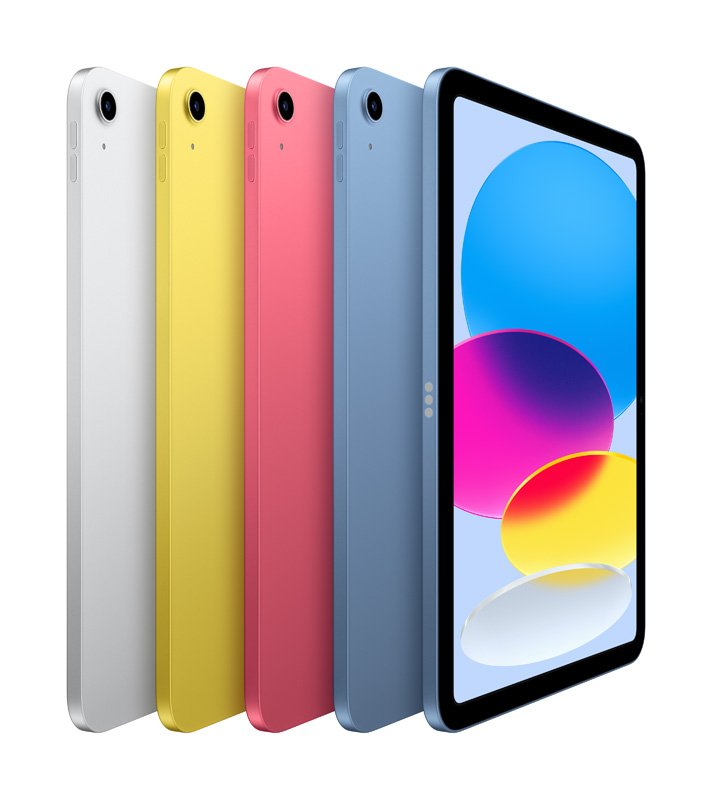
Thinking about upgrading your iPad? Or perhaps that trusty older model is just gathering dust, and you're wondering if it's worth anything more than sentimental value? The truth is, the iPad generation's impact on resale value and upgrades is far more significant than many realize. Knowing the ins and outs can save you money, make you money, and ensure you're always getting the best out of Apple's iconic tablet ecosystem.
It’s not just about what you paid; it's about what your iPad is truly worth on the secondary market. From the moment you unbox it, your iPad begins its journey down the depreciation curve. But how steep that curve is, and how quickly it drops, largely depends on factors you can influence, and critically, the generation of the device itself.
At a Glance: Your iPad's Resale Value & Upgrade Playbook
- Generation Matters Most: Newer iPads (especially Pros) hold value significantly better than older models.
- Condition is King: A pristine iPad with good battery health commands a premium.
- Storage Pays Off: Higher capacity models (256GB, 512GB) consistently fetch 10-30% more.
- Timing is Everything: Sell before the next model is announced or during peak buying seasons (holidays, back-to-school).
- Originals Pack a Punch: Keep the box, charger, and accessories for better offers.
- Wipe it Clean: Always factory reset and clean your device thoroughly before sale.
- Compare Options: Don't just settle for the first trade-in offer; check multiple platforms.
Why Your iPad's Generation is the Ultimate Value Driver
Let's cut to the chase: not all iPads are created equal when it comes to holding their value. The specific generation of your iPad is arguably the single most important factor influencing its market desirability and, by extension, its resale price. Think of it like cars; a brand new luxury sedan depreciates differently than a five-year-old compact.
Newer iPad models, particularly those released within the last couple of years, inherently offer a more compelling proposition to buyers. They boast advanced features like improved processors (the M-series chips are a game-changer), better display technology (hello, mini-LED on iPad Pro!), and often, support for the latest Apple Pencil and Magic Keyboard accessories. These aren't just minor tweaks; they represent significant leaps in performance and user experience.
For instance, a recent iPad Pro model, with its M-series chip, can retain an impressive 60-70% of its original retail price after just one year. That's a strong hold for consumer electronics. In stark contrast, an older iPad, say one that's three or four generations behind, might lose 30-50% of its value within its first year alone, and then continue a much steeper decline. This rapid depreciation is often due to planned obsolescence (software updates eventually drop support for older hardware) and the swift pace of technological innovation.
Understanding which generation your iPad belongs to is your first step in determining its potential worth. If you're unsure, it's easy to figure out checking your iPad's generation directly from the device's settings or its model number.
The "Pro" Advantage: Why Top-Tier Models Keep Their Shine
It's not just about newness, but also the tier of iPad. Generally speaking, iPad Pro models, due to their higher initial price point and professional-grade features, consistently maintain a better percentage of their value compared to an entry-level iPad, an iPad Air, or an iPad Mini. While an iPad Mini offers fantastic portability, its niche market appeal often translates to a slightly less robust resale market than the versatile Pro line.
This isn't to say other models are worthless; they just require more strategic selling. For everyday tasks, productivity, and casual use, an iPad Air or even a standard iPad remains an excellent device. But if you're thinking purely about maximizing resale value down the line, a higher-end iPad Pro often provides a better return on investment over its lifetime.
Beyond Generation: The Other Critical Value Drivers
While the generation dictates the baseline, several other factors can significantly bump up or drag down your iPad's resale value. Ignoring these can literally cost you hundreds of dollars.
The Power of Storage: More Space, More Money
In today's digital world, storage is rarely a luxury; it's a necessity. We download movies, store countless photos, manage large project files, and use increasingly sophisticated apps. Buyers know this, and they're willing to pay for it.
Opting for higher storage capacities like 256GB or 512GB (or even 1TB and 2TB on Pro models) can lead to a 10-30% difference in resale value compared to lower-capacity models (e.g., 64GB or 128GB). Imagine getting an extra $50-150 on a resale just because you picked a larger storage option at purchase. It often pays for itself. When people consider how their iPad stacks up against other tablets, storage is a major consideration.
Physical Condition: Every Scratch Tells a Story (and Lowers the Price)
This one feels obvious, but its impact cannot be overstated. An iPad free from scratches, dents, cracks, or functional issues will always attract higher offers. Think about it: would you pay top dollar for a device that looks like it's been through a war zone? Probably not.
- Screen: The display is the window to the iPad's soul. Any cracks, dead pixels, or significant scratches here are major red flags.
- Casing: Dents, deep scratches, or bends in the aluminum casing immediately reduce appeal and value.
- Buttons & Ports: Ensure all buttons (power, volume, home/Face ID) work perfectly, and charging/USB-C ports are clean and functional.
- Camera: Test both front and rear cameras.
- Battery Health: Devices with good battery health (check in Settings > Battery > Battery Health) are far more attractive. A battery that barely holds a charge signals an impending costly repair for the buyer. Focusing on optimizing your iPad's battery health from day one can pay dividends.
Before listing, take the time to thoroughly clean your device. A microfiber cloth and a little screen cleaner can work wonders. Address any minor cosmetic issues you can. Be honest in your description, but present the device in its best light.
Original Packaging & Accessories: The Full Package Premium
It might seem trivial, but having the original box, charger, and any bundled accessories (like the USB-C cable) can significantly enhance resale value. Buyers often prefer a "complete set," as it suggests careful ownership and provides a better unboxing experience for them. It also ensures they have a compatible, reliable charger.
If you have them, consider bundling original Apple Pencil or Smart Keyboard Folio accessories. While these might be worth selling separately on some platforms, including them with the iPad can make your listing stand out and justify a higher overall price, especially if you're selling a high-end iPad Pro.
Market Demand & Timing: Riding the Waves of Tech Hype
The market for used electronics is dynamic. New product releases, seasonal buying patterns, and even global economic trends can all influence what buyers are willing to pay.
- New Product Releases: Values often drop immediately after a new iPad model is announced or released. Everyone wants the latest and greatest, pushing down demand for older generations.
- Seasonal Buying: Holidays (late November to December) and back-to-school season (late July to early September) typically see a surge in demand for electronics, which can temporarily drive up resale prices.
Understanding these cycles is crucial for strategic selling.
Your Strategic Selling Playbook: Maximizing Your Return
Now that you know what drives value, let's talk about the how and when to sell. This isn't just about listing your iPad; it's about making smart, informed decisions to put more money back in your pocket.
The Golden Window: When to Hit the Market
Timing is paramount. There are specific periods when you can expect to get the best prices for your used iPad.
- Just Before (or Right After) a New Model Release: This is a delicate balance. Selling shortly before a new model is announced (e.g., August if a new model is expected in September) allows you to capture buyers who want a great deal on the current model before it's officially "old news." Once the new model hits, the value of yours will invariably dip. However, selling right after a new release can also work if your price is attractive enough to those who don't need the absolute latest tech.
- Holiday Season (Late November to December): The demand for electronics as gifts skyrockets during the holiday rush. This creates a highly competitive environment among buyers, potentially driving up your asking price. Start preparing your iPad for sale well in advance, ensuring it's clean, fully functional, and ready to ship. Consider bundling any accessories to sweeten the deal.
- Back-to-School Season (Late July to Early September): Students and parents are actively seeking tablets for educational purposes. A used iPad can be a budget-friendly option for taking notes, reading textbooks, and completing assignments. Highlight features like portability, long battery life, and compatibility with educational apps in your listing. Listing your iPad in early August is often optimal during this period. Many parents are also considering choosing the best iPad for students around this time.
The general rule of thumb: Sell within the first 12 months of purchase, or ideally, before the next model release. This is where your iPad holds the most value percentage-wise. The longer you wait, the steeper the depreciation curve becomes.
Prepping Your iPad: The Essential Checklist
Before you even think about listing your iPad, you need to get it ready. This isn't just about aesthetics; it's about security and functionality.
- Backup Your Data: Use iCloud or your computer to back up all your photos, documents, and settings. This is non-negotiable.
- Unpair Accessories: Disconnect your Apple Pencil, Smart Keyboard, AirPods, or any other Bluetooth accessories.
- Sign Out of All Accounts: Crucially, sign out of your Apple ID/iCloud account. Go to Settings > Your Name > Sign Out. This removes "Find My iPad" activation lock, which would otherwise prevent the new owner from using the device. If you don't do this, your iPad will be essentially bricked for the next user.
- Erase All Content and Settings: Perform a factory reset. Go to Settings > General > Transfer or Reset iPad > Erase All Content and Settings. This wipes all your personal data clean and restores the iPad to its factory state. It's an absolutely vital step; learn more about how to properly wipe your iPad before selling.
- Clean the Device: Use a soft, lint-free cloth (and a slightly damp one if needed) to clean the screen and casing. Remove any smudges, fingerprints, or dust.
- Charge the Battery: A fully charged iPad makes a better impression and allows the buyer to test it immediately.
- Gather Accessories: Collect the original box, charger, and any other accessories you plan to include.
Where to Sell: Exploring Your Options
You have several avenues for selling your used iPad, each with its own pros and cons.
1. Online Marketplaces: Reaching a Vast Audience
- eBay: The undisputed king for selling used electronics, reaching a vast audience of potential buyers. You can list your iPad in an auction-style format (great for sparking bidding wars) or as a "Buy It Now" listing (ideal for a quick sale at a fixed price).
- Pros: Huge reach, potential for higher prices, seller protection.
- Cons: Fees (typically 10-15% of the final sale price), shipping logistics, dealing with potential buyer disputes.
- Tips: Take clear, well-lit photos from multiple angles. Write a detailed, honest description of the condition. Research similar listings to price competitively. Consider offering free shipping to attract more buyers. Schedule your auction to end on weekends or during peak evening hours for maximum visibility.
- Swappa: A marketplace specifically for used tech, known for its strict verification process and focus on honest listings.
- Pros: Lower fees than eBay (often a flat fee, not a percentage), tech-savvy buyers, less fraud.
- Cons: Smaller audience than eBay, must meet stringent listing requirements.
- Facebook Marketplace/Craigslist: Local selling platforms that cut out shipping costs and fees.
- Pros: No fees, immediate cash, inspect in person.
- Cons: Limited local audience, safety concerns (always meet in a public place), dealing with lowball offers.
2. Trade-In Programs: Convenience at a Cost
Trade-in programs offer unparalleled convenience, allowing you to quickly offload your old device in exchange for credit towards a new purchase or sometimes cash. However, this convenience often comes at the cost of a lower payout compared to selling it yourself on a marketplace.
- Apple Trade In Program: Apple offers credit for your old iPad when you're ready to buy a new one. The value depends heavily on the model, condition, and age.
- Pros: Extremely convenient, immediate credit, no shipping hassle if done in-store.
- Cons: Offers are generally lower than what you could get selling directly. The credit is usually tied to Apple purchases, which can be beneficial if you're already deeply invested in the benefits of staying within the Apple ecosystem.
- Third-Party Trade-In Services (e.g., Gazelle, Decluttr): These companies specialize in buying used electronics. You get an instant quote, ship your device, and they send you money (usually via PayPal or check) after inspection.
- Pros: Simple, quick, no dealing with individual buyers.
- Cons: Offers can vary widely, sometimes lower than expected after inspection. Be cautious of potential hidden fees or longer processing times.
- Tips: Always compare offers from multiple platforms. Read reviews to ensure reliability.
3. Specialty Resellers/Pawn Shops: Last Resort Options
- GameStop, Best Buy (in-store trade-ins): Some retailers offer in-store trade-in options, often for store credit. These are generally for older, lower-value devices and provide minimal returns.
- Pawn Shops: Often the lowest possible payout. Only consider if you need cash immediately and have exhausted all other options.
The Upgrade Dilemma: When Does it Make Sense?
Understanding resale value isn't just about selling; it's about making informed upgrade decisions. When should you jump to the next generation?
Analyzing Your Current iPad's Performance
Before rushing to upgrade, assess your current iPad's performance.
- Is it still meeting your needs? If your older iPad still handles your daily tasks, browsing, and content consumption without a hitch, perhaps an upgrade isn't truly necessary.
- Are you hitting performance bottlenecks? If you're constantly waiting for apps to load, experiencing lag, or finding that new apps aren't supported, it's a clear sign your current iPad is struggling.
- Does it support the latest software? Apple's iOS/iPadOS updates bring new features and security enhancements. If your iPad can no longer update to the latest version, you're missing out and potentially exposing yourself to security risks. This is a common indicator that your iPad is becoming obsolete.
Evaluating the New Generation's Features
Apple consistently brings significant advancements with each new iPad generation. Consider whether these new features directly benefit your workflow or lifestyle.
- Processor Upgrades: The leap from A-series to M-series chips on iPads was monumental. If you do demanding tasks like video editing, 3D rendering, or complex graphic design, these powerful new processors could be a game-changer. For casual browsing, perhaps not.
- Display Technology: Improved screens (ProMotion, Mini-LED) offer smoother scrolling and better contrast. Are these critical for your work or enjoyment?
- Accessory Compatibility: Newer iPads often support the latest Apple Pencil (hover features, double-tap gestures) and Magic Keyboard, turning them into powerful laptop replacements. If you rely on these, an upgrade might be worth it.
- Connectivity: 5G connectivity on newer models means faster wireless speeds on the go. If you frequently work outside of Wi-Fi, this could be a compelling reason to upgrade.
- Camera Improvements: While not the primary feature for most iPad users, improved cameras (especially on the Pro models with LiDAR) can enhance AR experiences or make video calls clearer.
The Cost-Benefit Analysis
Every upgrade decision boils down to a cost-benefit analysis.
- The "Gap" Cost: This is the cost of your new iPad minus the resale value of your old one. Aim to minimize this gap. If you can sell your old iPad for a decent amount, the effective cost of the upgrade is much lower.
- Long-Term Value: Consider how long you plan to keep the new iPad. If you're going to use it for several years, investing in a higher-tier model with more storage might be a smarter move for its longevity and eventual resale value.
- Patience is a Virtue: Sometimes, waiting one more generation can be beneficial. Apple occasionally introduces revolutionary changes, while other updates are more incremental. If the current generation offers only minor improvements you don't desperately need, waiting for the next one could yield a more impactful upgrade.
For many users, upgrading every 2-3 years strikes a good balance between enjoying new features and retaining decent resale value. For those who need cutting-edge performance, a yearly or every-other-year upgrade might be justified, especially if they are adept at strategic selling.
Avoiding Common Pitfalls
Even with the best intentions, sellers can make mistakes that diminish their iPad's value.
- Forgetting to Remove Activation Lock: This is perhaps the biggest and most common mistake. If you don't sign out of your Apple ID and erase the device, the next buyer won't be able to use it. It becomes a brick. Always, always sign out of iCloud first.
- Dishonest Descriptions: Trying to hide flaws will inevitably backfire. Buyers will notice during inspection or after receiving the device, leading to disputes, negative feedback, and potentially a forced return. Be transparent.
- Poor Quality Photos: Dark, blurry, or few photos create suspicion. Buyers want to see what they're getting. Use good lighting, show all sides, and highlight any minor imperfections clearly.
- Unrealistic Pricing: Overpricing your iPad because you're emotionally attached or unaware of current market trends will just lead to your listing sitting stagnant. Research, research, research!
- Ignoring Accessories: Not including the original charger or box means the buyer has to source these, making your listing less attractive.
- Not Wiping Data Properly: Beyond the Activation Lock, not performing a full factory reset means your personal data (photos, messages, banking apps) could be exposed.
The Smart Seller's Final Thoughts
Navigating the resale market for your iPad doesn't have to be a guessing game. By understanding how the iPad generation's impact on resale value and upgrades plays out, you empower yourself to make smarter choices from the moment of purchase to the time you decide to sell.
Always remember: your iPad is an investment. Treating it well, keeping its accessories, understanding the market trends, and timing your sale strategically can significantly affect your bottom line. Whether you're upgrading to the latest model or simply decluttering, a little planning goes a long way in ensuring you get the most out of your Apple device. Now go forth and sell smart!